Ask about anything you read.
Select text in a web page, a PDF, a terminal or a chat app, and Iris explains it, translates it or rewrites it in place. Your own API keys, the model you pick, no account and no Iris server in between.
Chrome, Edge, Brave and other Chromium browsers. Ubuntu with GNOME on Wayland.
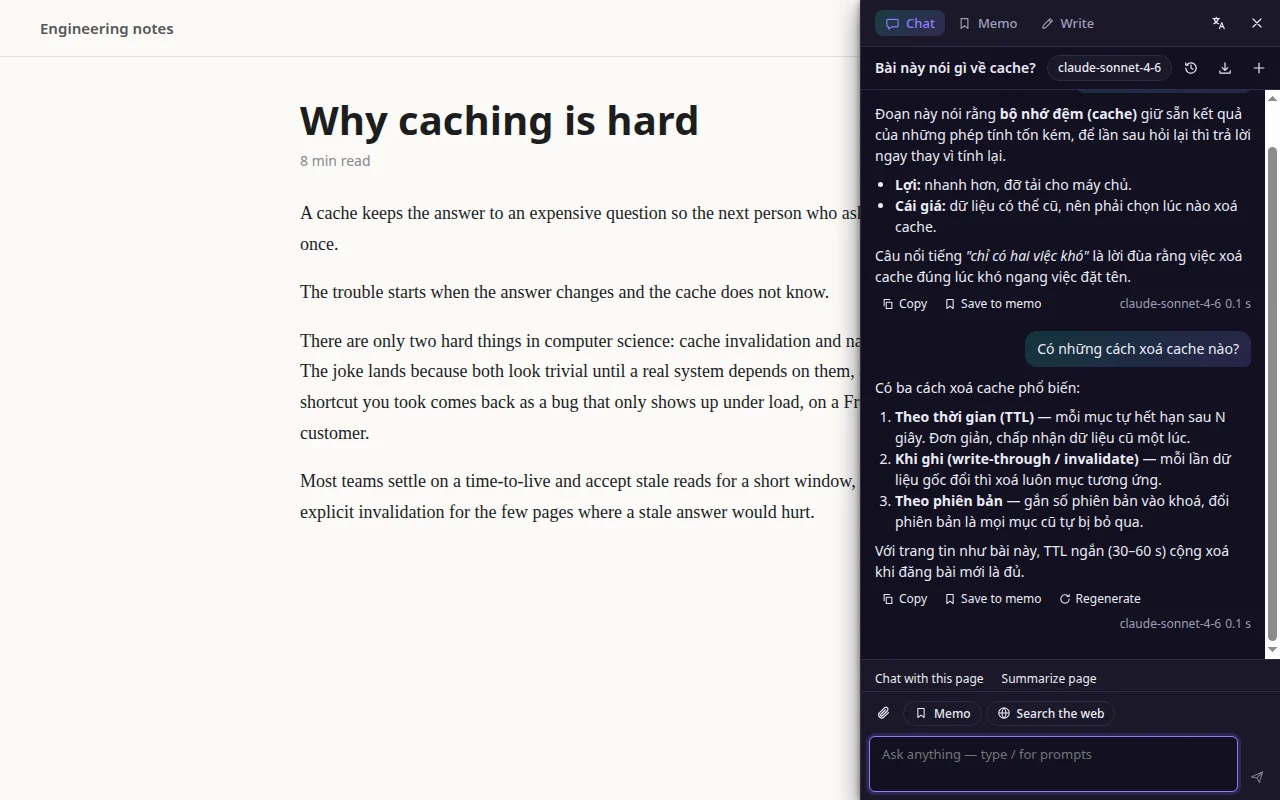
In the browser
Everything happens on the page you are reading. Nothing to copy, no new tab.
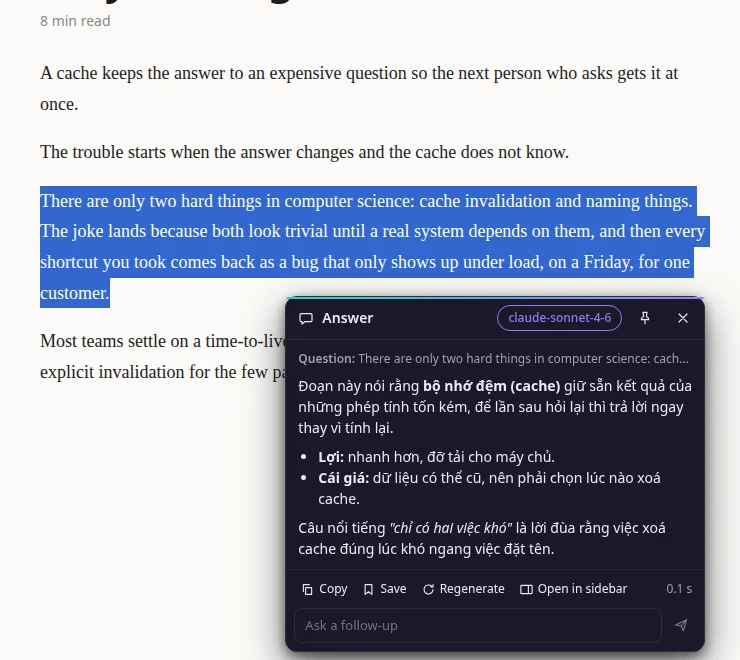
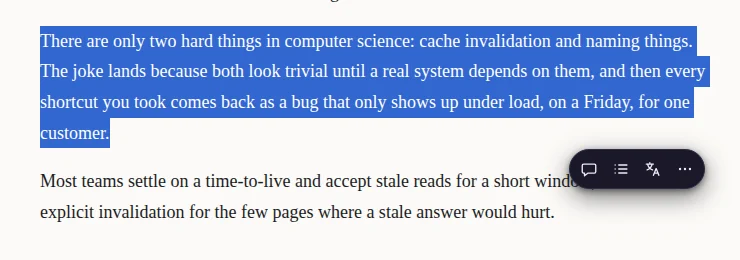
Select · askAnswers next to the text
Select a passage and a small bar appears above it. Pick an action and the answer streams into a card right beside the selection.
- Follow-up in the same card, or move the conversation to the sidebar
- Copy, save to memo, regenerate, or switch model per answer
- Your own actions: any prompt, pinned to the bar
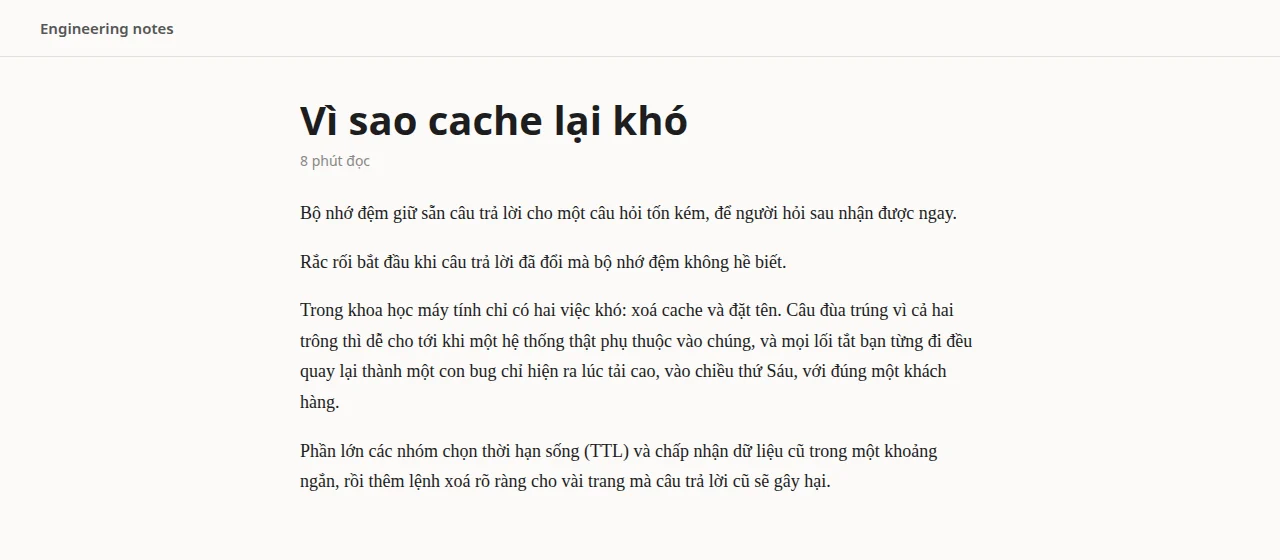
Translate pageThe whole page, in its own layout
Only the translation shows, where the original was, in the same size and spacing. Hover a paragraph to read the original.
- Top of the page first, the rest as you scroll
- Code, hidden text and
translate="no"are left alone - Show original puts the page back exactly as it was
Sidebar · Alt+SChat with the page
A sidebar that has read the page with you. Summarize it, question it, attach files, or search the web from it.
- Prompt library on /, with fill-in fields
- History and memos stay on this machine
- Export a chat as Markdown
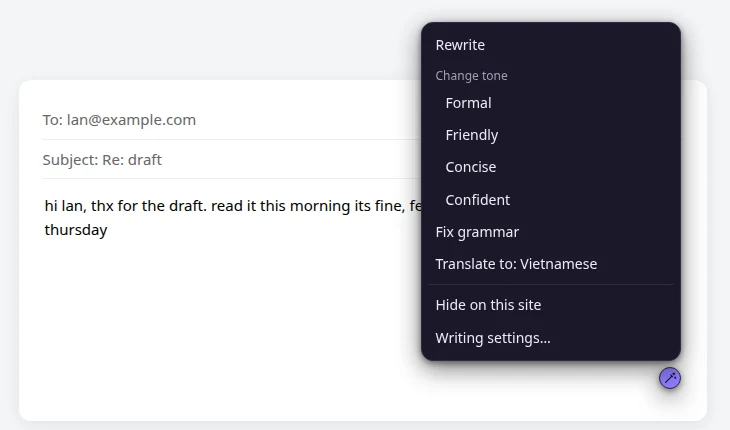
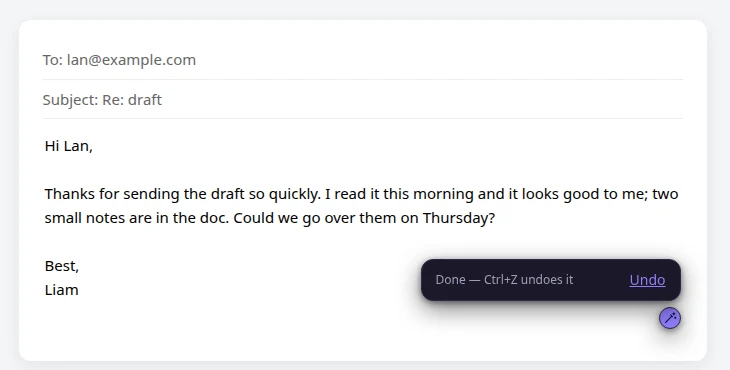
WriteFix it where you type it
An Iris button sits in the corner of the box you are typing in: Gmail, a form, a chat. Rewrite, change the tone, fix the grammar or translate.
- The text is replaced in one step
- Ctrl+Z brings your words back
- Off for any site you choose
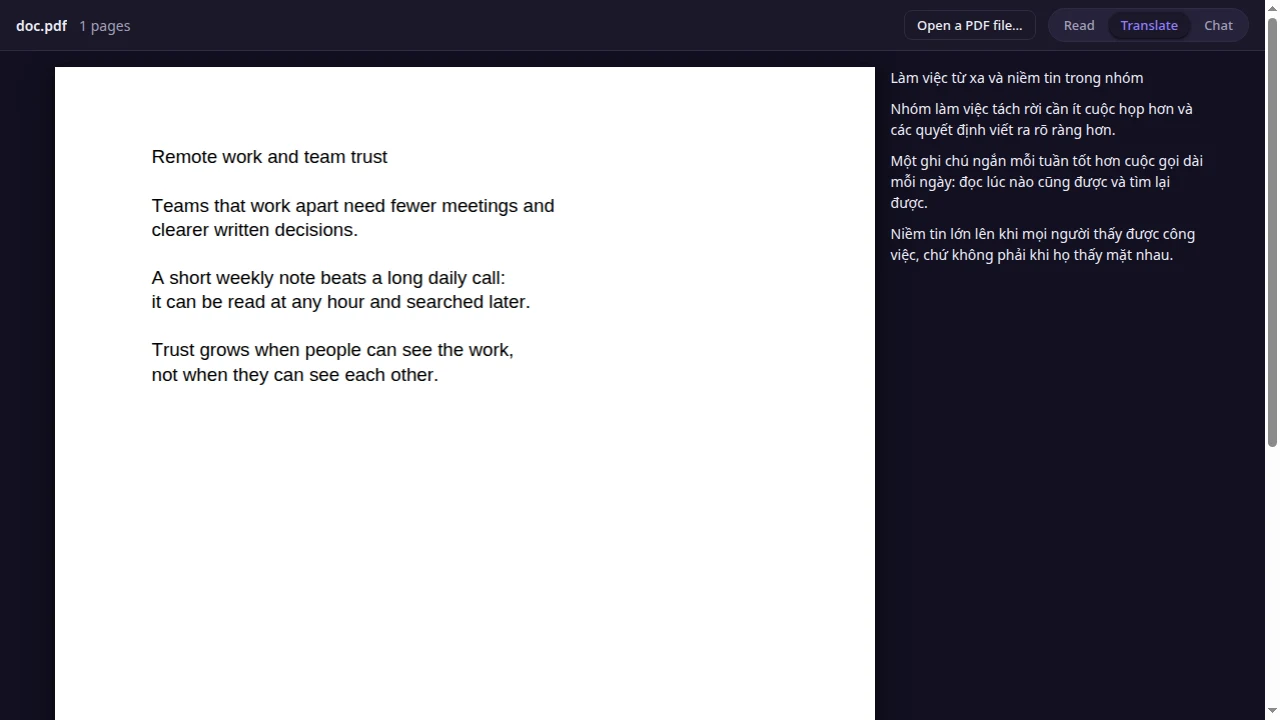
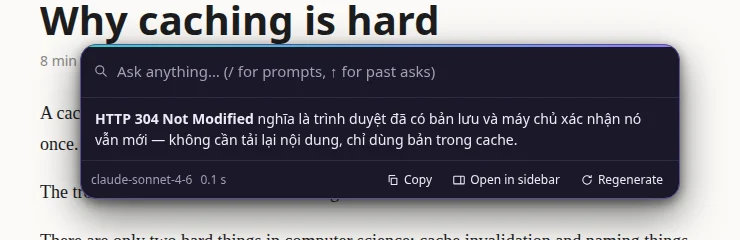
On the Ubuntu desktop
The same Iris outside the browser: in the terminal, the editor, Slack, a PDF viewer.
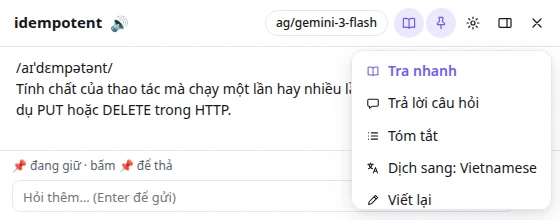
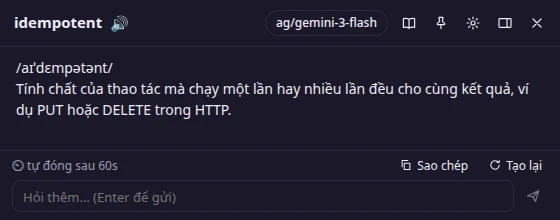
Alt+D · in any appSelect, press, read
Highlight text anywhere and press Alt+D. A small popup comes up in front with a short explanation or translation.
- Pronunciation and a 🔊 button for single English words
- Model picker in the header, remembered
- Pin to keep it, or it hides itself after a minute
- Ask a follow-up, or switch to answer, summarize, translate, rewrite
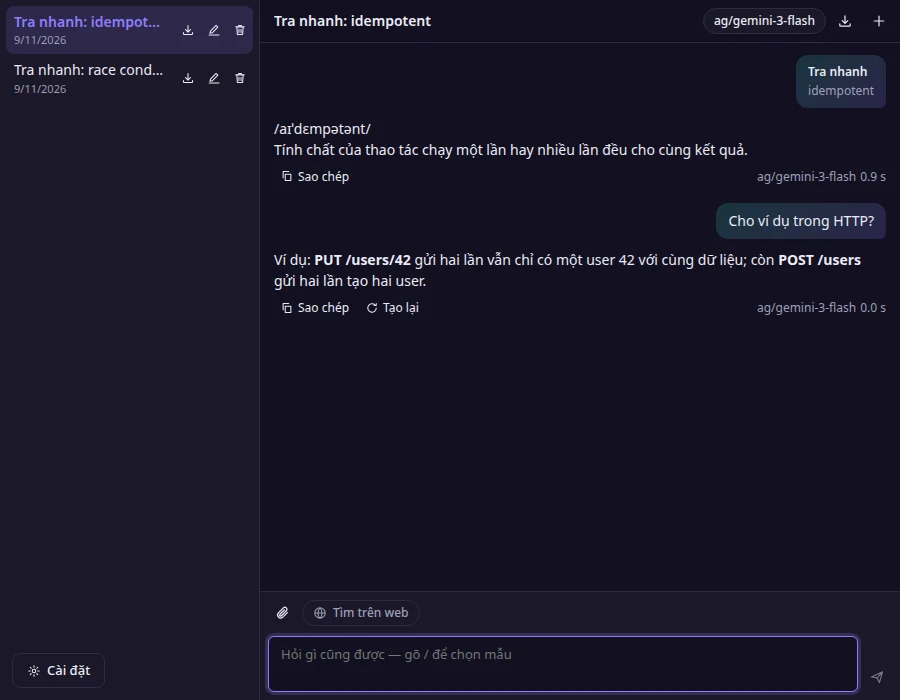
Chat windowThe full Iris, in its own window
Every lookup can continue as a chat. History, files, web search and prompts work as in the extension.
- Saved chats on the left, rename or export
- Search the web for current answers
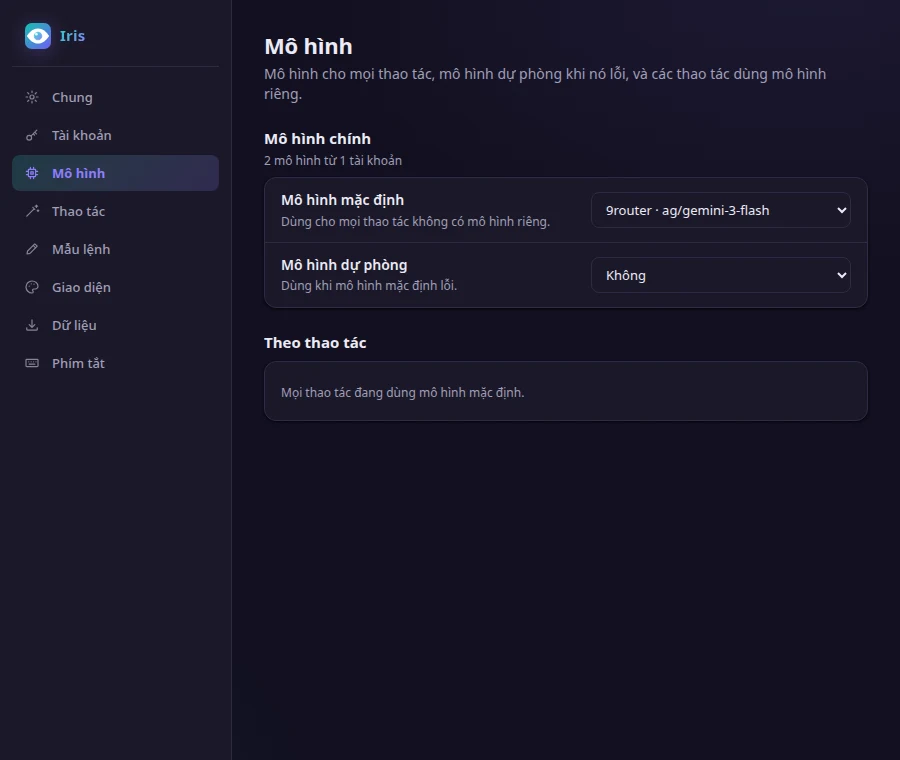
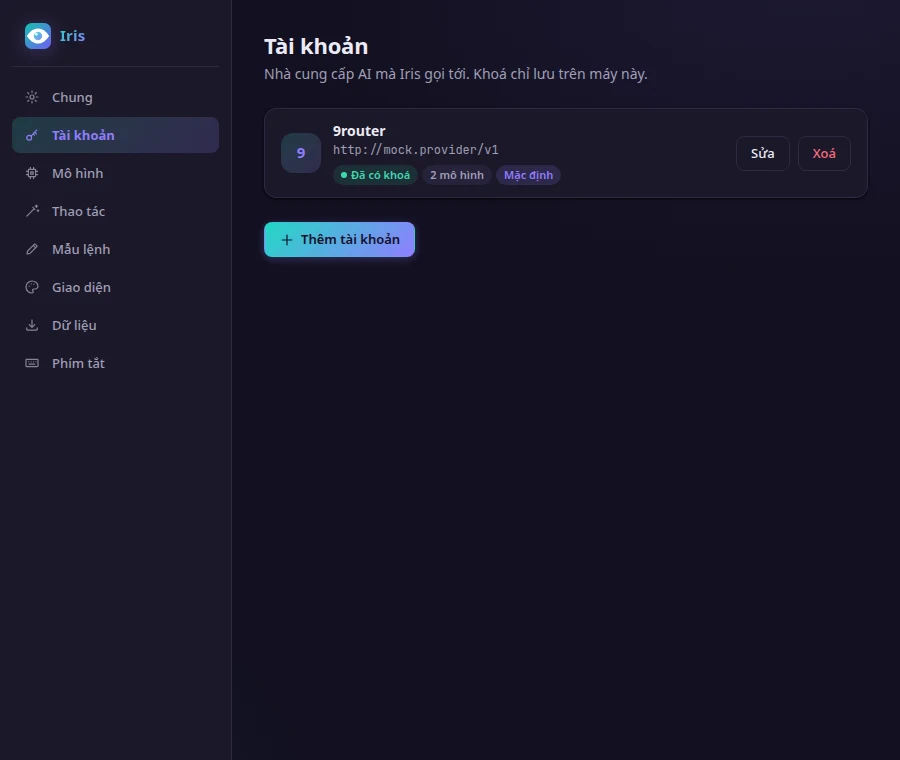
- Settings one click away, from the popup or the chat
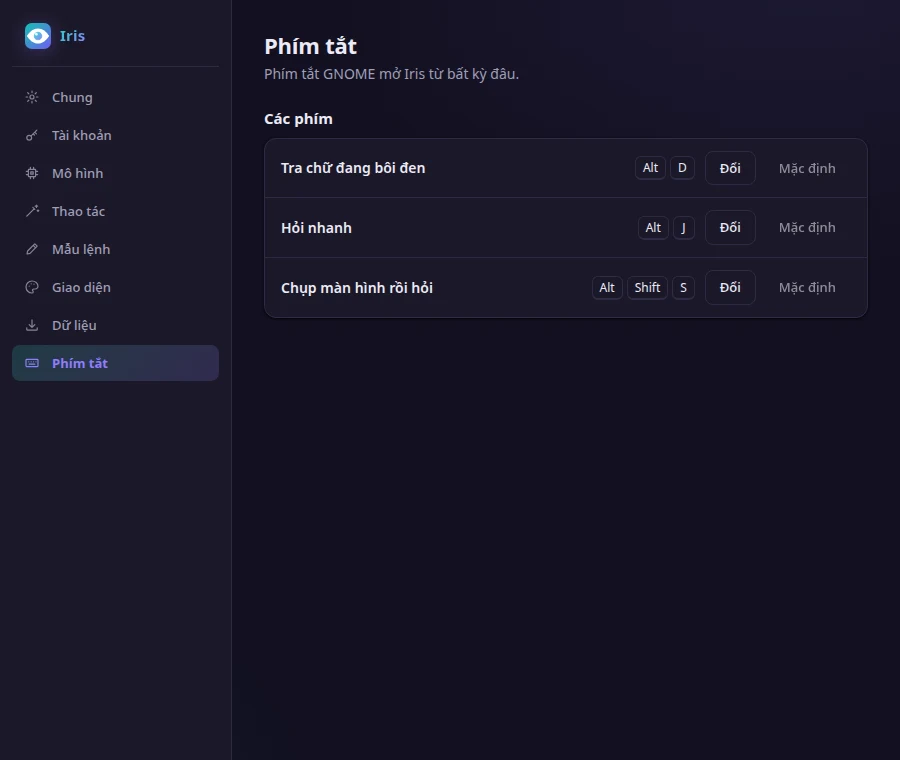
A panel icon for lookup, Quick Ask, screenshot and settings, like any Ubuntu app.
Starts with your session and waits in the background, so the popup appears as soon as you press the key.
Type "Iris" in the GNOME app search to open the chat or settings.
Shortcuts
| Alt+D | Look up the selected text, in any app | Ubuntu |
| Alt+J | Quick Ask | Chrome · Ubuntu |
| Alt+Shift+S | Screenshot an area and ask about it | Chrome · Ubuntu |
| Alt+I | Action menu for the selection | Chrome |
| Alt+S | Open or close the sidebar | Chrome |
Models
What you need
Chrome extension
- Browser
- Chrome, Edge, Brave or another Chromium browser
- Install
- Load unpacked from the beta build (Developer mode)
- Model
- An API key from one of the providers above
- Languages
- English or Vietnamese interface; answers in any language
Ubuntu app
- System
- Ubuntu with GNOME on Wayland
- Packages
wl-clipboardto read the selection;speech-dispatcherfor 🔊- Install
- One binary; shortcuts and autostart are set from its Settings
- Model
- Same kind of accounts as the extension, added in Settings
Your keys, your data
Questions
Does Iris cost anything?
No. You pay your model provider for what you use, at their price. Iris itself has no plan and no account.
Which model should I use?
A fast, inexpensive model for lookup and page translation, and a stronger one for chat. You can set a model per action, and a fallback that takes over when the first one fails.
Where does my text go?
Only to the provider you configured, and only when you trigger an action. There is no Iris server in between.
Does it work offline?
The app opens offline, but answers need your provider. A model on your own machine, behind an OpenAI-compatible URL, works too.
macOS or Windows?
Not yet. The extension runs in any Chromium browser on any system; the desktop app is Ubuntu only for now.
Join the beta
Iris is in beta and the builds are shared by email for now. Say which one you want, Chrome, Ubuntu or both, and you will get the build and a short setup note.